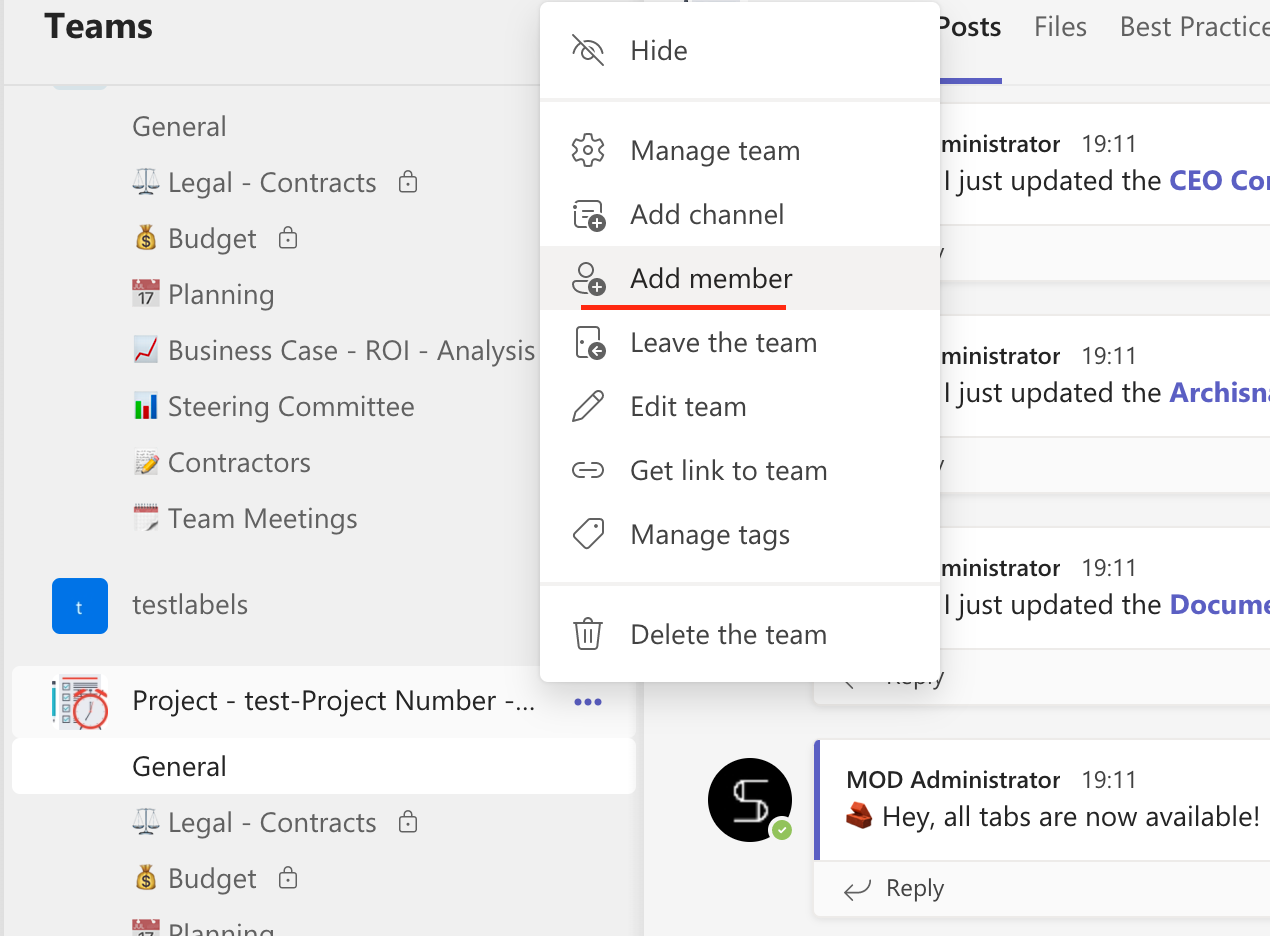
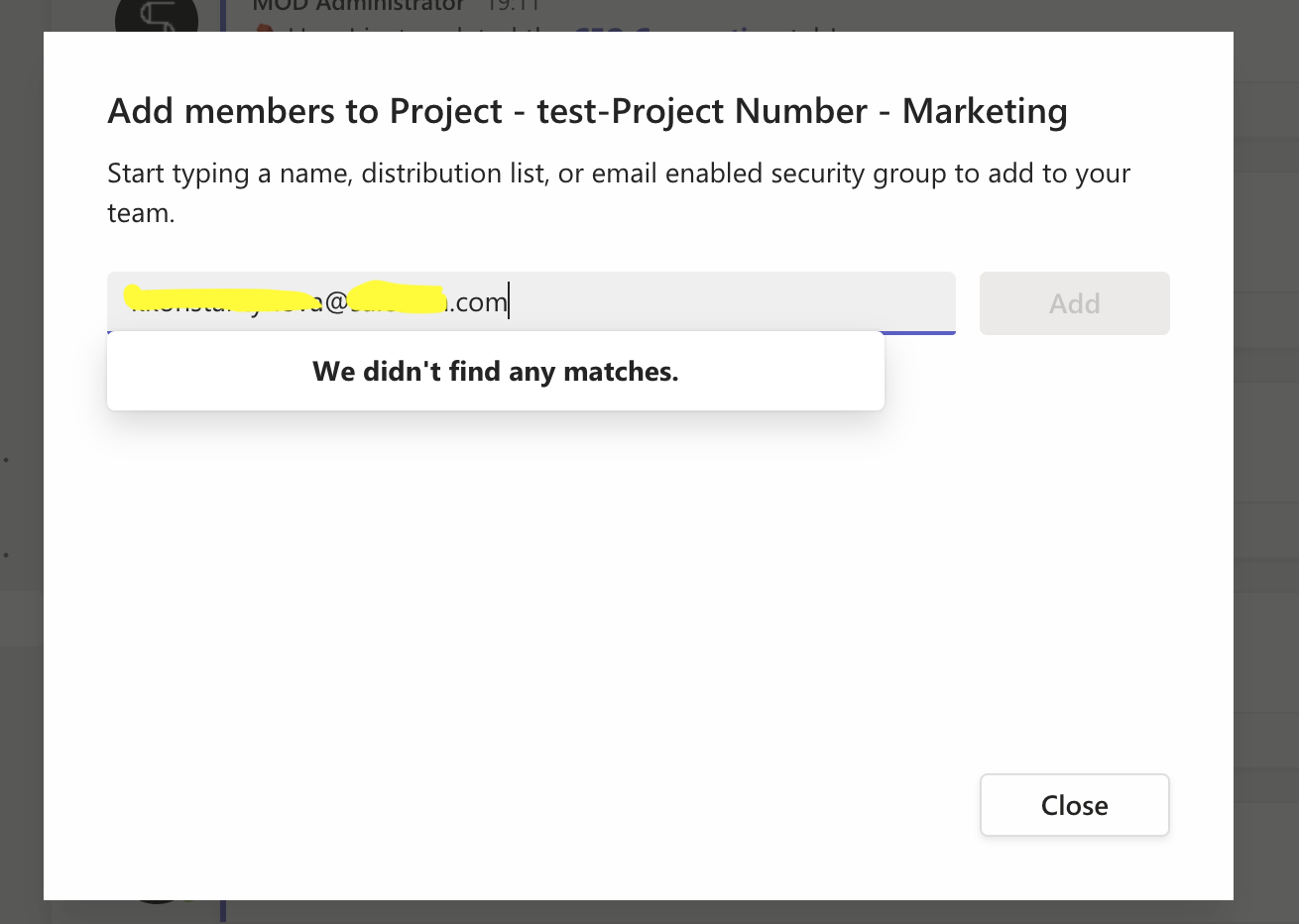
Restrict guest access
You may have already implemented sensitivity labels in a Microsoft 365 Security & Compliance Center.
So now we will show how you can apply them at the Collaboration Template level.
How to restrict guest access to teams at a Template level?
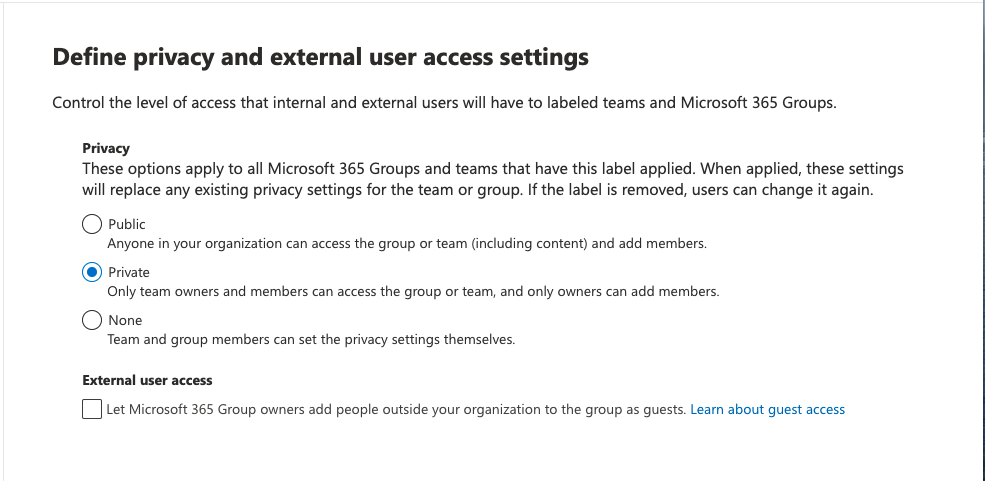
1. Make sure your IT department created sensitivity labels with the right configuration.
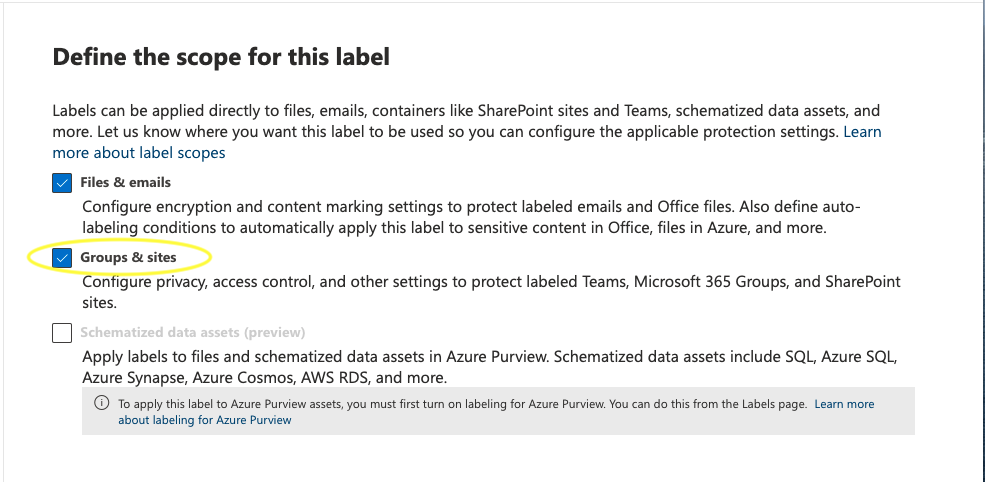
Verify that your labels can be applied to groups and sites.
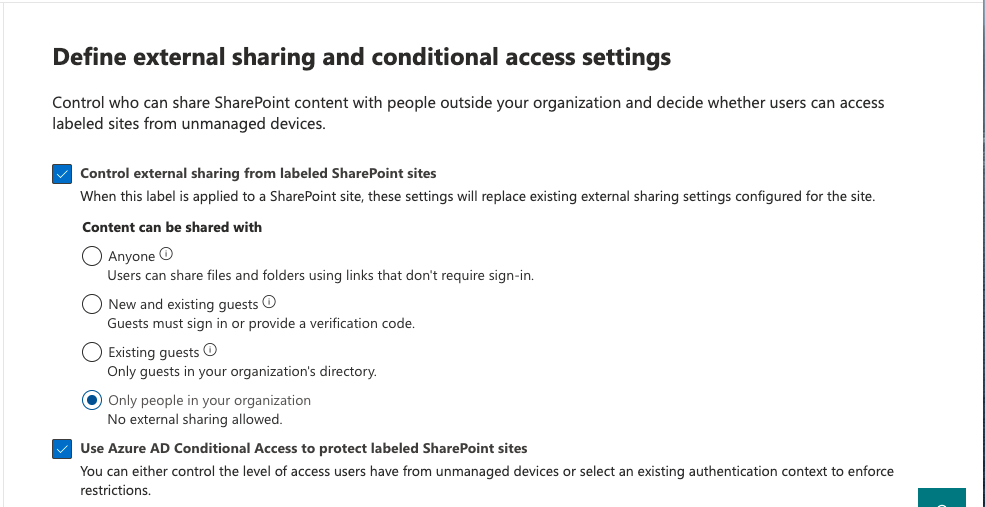
Define external sharing and user access settings.
2. Go to Microsoft Teams and log into your nBold account.
3. Click on Create a Template.
4. Go to the Compliance tab and choose the relevant sensitivity label.
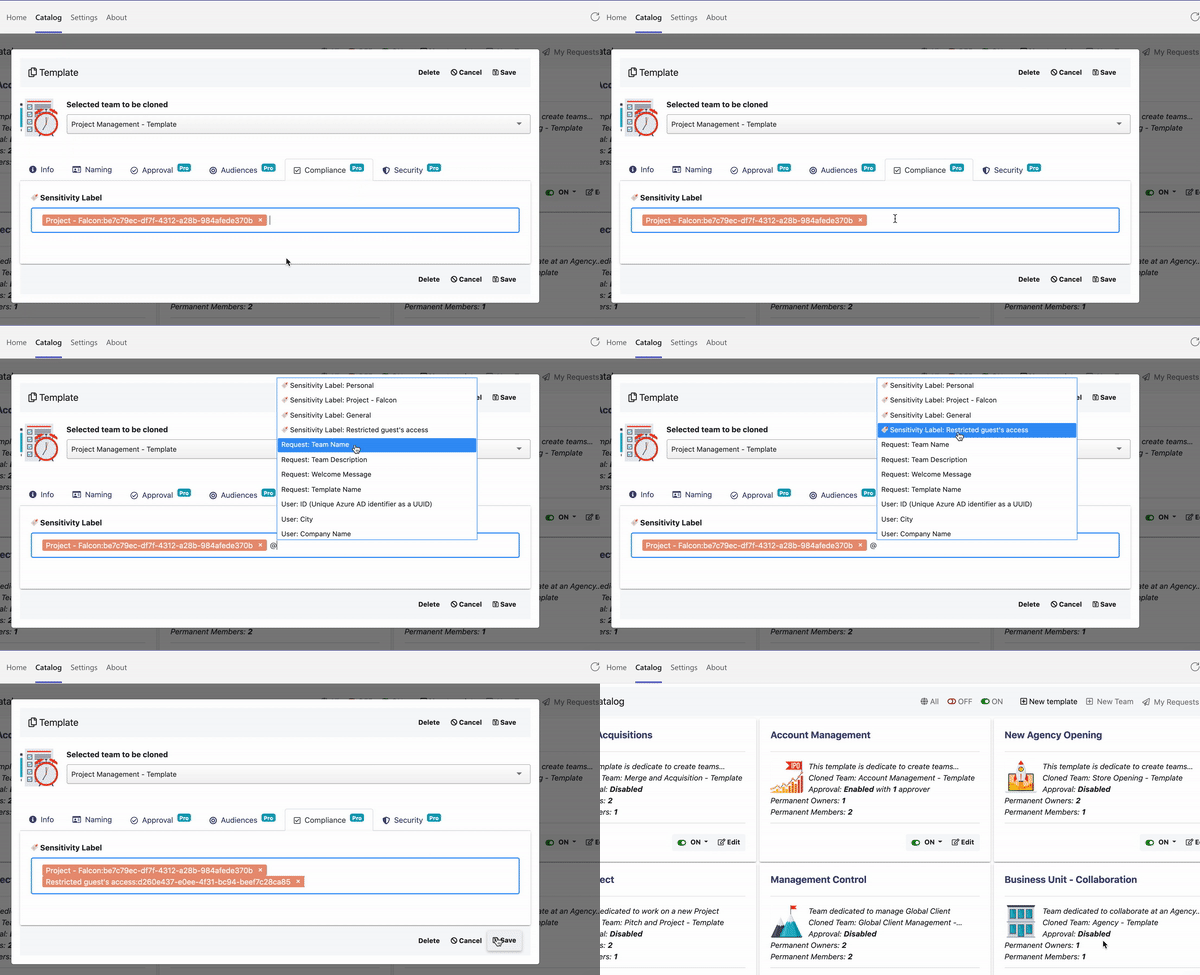
5. Create a new team from this Template and check out new features.
So, with this sensitivity label applied, users won't be able to add externals to new teams created.